10 Beginner Coding Projects JavaScript Learners Can Finish, Then a Coding Game
Key takeaways
- Start with a counter or mad-libs page in a single HTML file, because one button and one visible change teaches variables, getElementById and textContent in under 30 lines.
- A to-do list and a theme switcher cover the two halves of DOM manipulation: creating and removing nodes, and changing what already exists with classList and localStorage.
- Attempt your first fetch project only after you can build the quiz and to-do list without copying code, because the real jump is handling slow or failed network responses.
- A memory match game is the best capstone because it combines loops, DOM rendering, events, state and setTimeout in one file, and bugs in game rules are visible.
- Extend every finished project the same way: add localStorage persistence, input validation, a timer, then refactor into functions before starting anything new.
Table of contents
- What should your very first JavaScript project be?
- Which JavaScript projects teach DOM manipulation best?
- How do you move from static pages to event-driven projects?
- What's a good first project using loops and arrays?
- When should a beginner attempt a fetch/API project?
- What's a good capstone that combines everything?
- How do these JavaScript projects compare to beginner Python projects?
- How do you extend each project once the basic version works?
Build these 10 beginner coding projects JavaScript tutorials never set up for you: each one teaches exactly one core concept, from your first DOM script to your first fetch call, in a fixed order where each project depends on the last. Every project includes a concrete extension, so once the basic version works you always know what to build next instead of hunting for another tutorial.
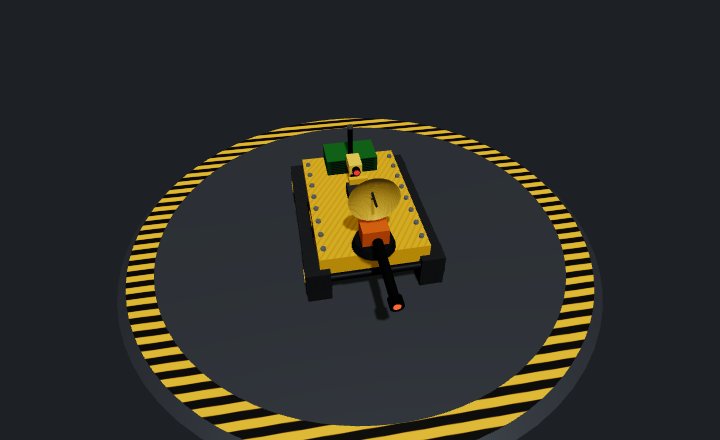
What should your very first JavaScript project be?
A counter or a mad-libs page. One button, one line of output, no build tools. Open a file, write a script tag, and you have shipped something that runs.
Project 1: a counter or mad-libs page
The counter shows a number in a <p> tag; clicking a button adds one. Mad-libs asks for a noun and a verb, then splices them into a sentence. Both fit in under 30 lines of plain JavaScript in a single HTML file.
What you actually learn
Three things that every later project reuses. Variables hold state between clicks. document.getElementById grabs an element from the page. Setting textContent changes what the user sees without reloading anything.
That last step is the bridge from tutorials to building: your code caused a visible change. Once the basic version works, add a reset button, then a second counter, then keyboard input. The same loop of "make it work, then extend it" is how practice works at thebotslam too: write a bot's brain, run a test match, fix what breaks.
Which JavaScript projects teach DOM manipulation best?
Two projects drill it best: a to-do list and a theme switcher.
Project 2: a to-do list
A to-do list forces you to create elements, read input values, append children, and remove nodes on click. That is the core loop of every interface you will ever build. If you can write document.createElement, set its text, attach it with appendChild, and delete it with remove(), you have covered most of what DOM manipulation means in practice.
Project 3: a theme switcher
A theme switcher teaches the other half: changing what already exists instead of adding new nodes. You toggle classes with classList.toggle, swap colors through style or a CSS variable, and store the choice in localStorage so it survives a refresh. The same skill, state that changes what happens next, carries over to any program that reacts to a changing world, from a quiz score display to a robot's brain in a capture the flag match.
Level up ideas for the to-do list and theme switcher
Add an "edit" button that swaps text for an input field. Add filters (all, active, done) using classList. Then make the theme switcher cycle three themes instead of two.
How do you move from static pages to event-driven projects?
Static pages run top to bottom once. Event-driven code waits, reacts, and remembers state between clicks. That mental shift is what addEventListener forces you to learn, and two small projects teach it faster than any explanation.
Project 4: a quiz app
Build a quiz with a fixed array of questions. Render one at a time, attach a click handler to each answer button, and keep a score variable that survives between clicks. You will touch the event object, stop buttons from firing twice, and learn why your state lives outside the handler. When you can explain why the score resets on reload, you have the concept.
Project 5: a keyboard drum pad
Map keys A through K to sounds using keydown events. This project teaches listening on the document itself, checking event.key, and preventing default browser behavior. It feels like a toy, but it is the same wait-react-remember loop you write for a robot's brain in a coding game. In thebotslam's JavaScript league, a bot waits for each tick, reacts to what its sensors report, and keeps its state in variables between ticks:
import { Chassis, Scanner, wait } from "bot";

const chassis = new Chassis(0);
const scanner = new Scanner(1);

let look = 0;   // where the scanner points, in degrees
let calm = 0;   // ticks in a row with nothing seen: state kept between ticks

while (true) {
  wait(); // like an event: fresh readings arrive, your code reacts

  if (scanner.ping(0)) {
    // Something seen: face it and hold the scanner on it.
    calm = 0;
    look = scanner.bearing(0);
    let off = look - chassis.heading;
    if (off >= 180) off -= 360;
    if (off < -180) off += 360;
    chassis.turn = off / 45;
    chassis.forward = 1;
  } else {
    // Nothing: sweep on, and after a quiet second (20 ticks) slow down.
    calm++;
    look = (look + 30) % 360;
    chassis.turn = 0;
    chassis.forward = calm > 20 ? 0.3 : 1;
  }
  scanner.sense = look;
}
calm is the drum pad's recording array in miniature: state the program needs because something happened earlier. Bot JavaScript is a subset of the language (numbers, fixed-size arrays, functions and loops; no strings, objects, DOM, fetch, localStorage or setTimeout), and the Coding samples tab in Brain code has a program for every part, in every typed language.
Level up ideas for the quiz and drum pad
Add a timer to the quiz using setInterval and clear it correctly. Give the drum pad a recording mode that stores key presses in an array and replays them. Both force you to manage state you did not need before. Beginners also trade project ideas constantly on r/learnprogramming, where threads asking for practice ideas get dozens of suggestions you can steal.
What's a good first project using loops and arrays?
Project 6: flashcards
Build a deck as an array of objects, each with a question and an answer. Show one card, let the user flip it with a click or keypress, then move to the next with deck[i++] or shift(). Shuffle with a Fisher-Yates loop. This teaches you to iterate, index and mutate arrays without a framework in the way.
Project 7: a dice and stats roller
Roll Math.random() a thousand times, tally results in an object keyed by face value, then print a text histogram with a loop of # characters. You get practice with loops, counters and accumulation. It also settles the "which language first" debate in practice: the same logic ports to Python almost line for line. If you're still choosing, see our language for beginners answer.
Level up ideas for flashcards and the roller
Add spaced repetition to the flashcards: cards you miss come back more often. For the roller, compute mean and standard deviation, then graph the distribution. Both extensions push you toward functions that take arrays and return new ones.
When should a beginner attempt a fetch/API project?
Attempt your first fetch project once state and arrays feel routine. If you can build the quiz and the to-do list without copying code, you are ready. The jump is not syntax; it is learning that the network can fail, be slow, or return data you did not expect. That is the wall this guide exists for: "Simply reading about concepts and taking notes is not enough" (GameDev.net thread on programming exercises).
Project 8: a fetch-a-joke page
Call a free joke API, parse the JSON, and print the punchline to the page. This teaches async/await, response checking and one error handler in about 40 lines. The MDN fetch documentation covers the method itself.
Project 9: a weather widget
Same skills, real stakes: you handle a city search, a "not found" response, and loading states.
Level up ideas for the fetch projects
Add retry logic, cache results in localStorage, or chain two API calls.
What's a good capstone that combines everything?
Project 10: memory match
Build a memory match game: a grid of face-down cards, flip two per turn, keep matches, reset on a miss. It forces every concept from projects 1 through 9 into one file. You generate the card array with a loop, render it with DOM manipulation, handle click events, track game state in an object, and use setTimeout for the flip-back delay. That delay is the real lesson: state that changes over time, not just on click.
Level up: add a move counter, a timer and a win screen, then store your best score in localStorage.
Why a game beats another CRUD app
A to-do list is forms and lists again. A game gives you rules to enforce, so bugs are visible: you can click a third card mid-animation, or match a card with itself. Fixing those edge cases is the practice tutorials never give you. It also gives you something you actually want to show people, which keeps you building past the tutorial wall.
How do these JavaScript projects compare to beginner Python projects?
The same wall in Python
Python beginners hit the identical problem: they can build a text adventure, then have no idea how to make a window. The concepts underneath are the same either way. Loops, arrays, conditionals and state transfer directly between the two languages, so the project order in this guide works as a Python path too if you swap the DOM sections for a graphics library.
Where programming games fit
There is a third path that skips the window problem entirely: the game provides the world, and you write the brain that runs inside it. That is how thebotslam, Robocode, Screeps and CodinGame work. You get a built-in opponent, instant feedback, and a reason to refactor, because a bot that barely wins is a bot you can improve.
| Tool | Language | What you write |
|---|---|---|
| thebotslam | JavaScript, Python, C++, Java, C#, Lua, BASIC, assembly, Blocks | Bot brains for capture the flag, infiltrate, last team standing |
| Robocode | Java, others | Tank battle bots |
| Screeps | JavaScript | Colony logic running continuously |
| CodinGame | Many | Puzzle and bot matches |
The honest limitation: a programming game teaches logic and strategy, but not DOM manipulation or fetch. You still need the projects above for that half.
How do you extend each project once the basic version works?
The four standard extensions
Every project in this list levels up the same way, in this order: add persistence with localStorage, add input validation, add a timer, then refactor into functions. A to-do list that saves between sessions teaches more than a fresh project, because persistence forces you to think about state.
Work through all four extensions before starting something new. Refactoring last is deliberate: you refactor code you have lived with, not code you just wrote.
When to start a new project instead
If an extension feels like a chore, the project has taught you what it can. Move on. The goal is ten finished things with growing complexity, not one perfect thing. When you want practice with opponents and hidden state, programming bots for capture the flag and running a test match picks up where static projects leave off.
FAQ
What are some easy beginner coding projects I can finish in a weekend?
A counter, a to-do list, a theme switcher or a keyboard drum pad all fit in a single HTML file with 30 to 40 lines of plain JavaScript. The counter and mad-libs page are the fastest: one button, one visible change, no build tools. Finish one, then add a standard extension like a reset button or localStorage persistence before moving on.
Where do beginners find project ideas that aren't just tutorial clones?
r/learnprogramming is the main spot. Threads asking for practice ideas regularly pull dozens of suggestions you can steal, from flashcards to dice rollers. The trick is taking an idea and adding your own extension: a timer, validation or persistence. That turns a recycled suggestion into a project with a concept you have not seen in a tutorial.
Should I learn JavaScript or Python first for fun beginner projects?
Either works, because loops, arrays, conditionals and state transfer between the two languages almost directly. JavaScript gets you visible results faster in the browser, while Python beginners often stall trying to make a window appear. If you want opponents and instant feedback without building an interface, a bot-brain game like thebotslam covers that third path, in either language.
How do I know when I'm ready to move past simple beginner coding projects?
When you can build a quiz or to-do list without copying code, and when extending a finished project feels like a chore rather than a challenge. That chore feeling means the project has taught you what it can. Ten finished things with growing complexity beat one perfect thing, so move on and let the next project stretch you.