Getting started: the smallest bot that moves in a programming game
You sit down to write an essay, tidy a room or file your expenses, and twenty minutes later you've checked your phone, made tea and reorganised a drawer. The task hasn't started. It isn't laziness. The task, as you picture it, is too big and too vague to begin, so your mind looks for something easier.
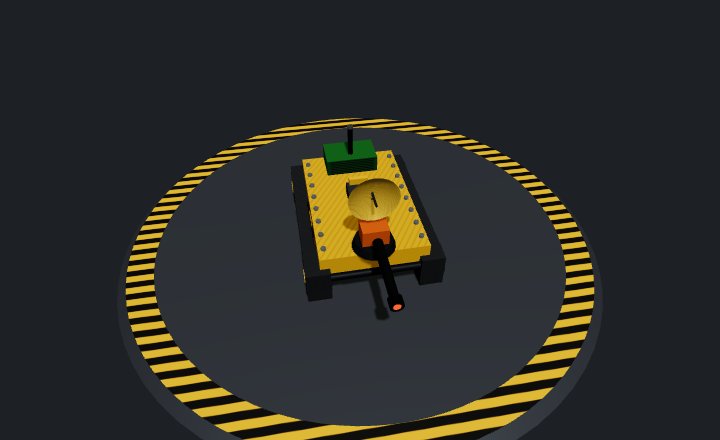
Programming a robot has the same trap. You open a blank editor, picture the bot you want (one that hunts enemies, dodges fire and protects its teammate) and freeze. This post is about getting past that moment, in code and out of it.
What task initiation is
Psychologists group a handful of mental skills as executive functions: the skills that let you plan, focus, hold things in mind and control what you do. One of them is task initiation, the ability to start a task when it needs starting, without waiting to feel ready.
People who are good at it aren't braver or more disciplined. They've learned one trick: make the first step so small that there's nothing to resist. Not "write the essay" but "write one bad sentence". Not "clean the kitchen" but "put the plates in the sink".
Writing a bot's program in a programming game is good practice for this, because the computer rewards small steps and punishes giant ones. A huge program written in one go almost never works the first time, and when it fails you can't tell which of its hundred lines is to blame. A tiny program that works gives you something real to build on.
The smallest bot AI that moves
In thebotslam, a bot's program (its "brain") runs in ticks, 20 a second. Each time the program calls wait(), the tick ends: its commands go out to the bot's parts, and fresh readings come back. Here is a complete Python program for a bot that moves:
from bot import Chassis, wait

chassis = Chassis(0)

while True:
    chassis.forward = 1
    wait()
Two lines do the work. chassis.forward = 1 sets the throttle to full ahead (it runs from −1, full reverse, to 1). wait() sends that command out and moves on to the next tick. The rest is set-up: Chassis(0) connects to the chassis, which is always on channel 0, and while True: repeats forever.
It's not a good bot. It drives straight ahead until it hits something and then pushes against it for the rest of the match. That's fine. It runs, and now you're not starting any more: you're improving.
If even this bot sits still, the FAQ's why does my bot do nothing? walks through the usual causes. The most common is a loop without wait(), so the commands never go out.
One change at a time
The next step is just as small: change one thing, run it, watch what happens.
from bot import Chassis, wait

chassis = Chassis(0)

while True:
    chassis.forward = 1
    chassis.turn = 0.3  # new: a gentle turn to the left
    wait()
chassis.turn is a turn rate from −1 to 1, positive to the left. With the throttle on and a steady turn, the bot drives in a circle. You made one change and saw one result, so you know exactly what that line does.
Next, give it eyes. A scanner looks along a 30° arc up to 30 m away and reports what it sees as bearings: directions in degrees, where 0 is east and positive turns left. On a bot whose design has a scanner on channel 1:
from bot import Chassis, Scanner, cpu, wait

chassis = Chassis(0)
scanner = Scanner(1)  # new: the scanner, on channel 1

while True:
    if scanner.any:
        chassis.forward = 1  # something in view: drive
        chassis.turn = 0
        log("contact @ {}", scanner.bearing(0))
    else:
        chassis.forward = 0  # nothing: stand still and look around
        scanner.sense = cpu.tick % 12 * 30
    wait()
scanner.sense points the arc. cpu.tick % 12 * 30 moves it 30° a tick, all the way round every 12 ticks. When scanner.any says something pinged, the bot drives, and log(...) writes a line to the bot's log so you can see the bearing it found.
Run it and you'll spot the next problem straight away. The bot drives when it sees something, but it drives the way it's facing, not toward what it saw. That's the ugly part, and it's useful: it tells you exactly what the next change should be.
from bot import Chassis, Scanner, cpu, wait

chassis = Chassis(0)
scanner = Scanner(1)

while True:
    if scanner.any:
        b = scanner.bearing(0)
        scanner.sense = b  # keep looking at it
        # new: steer at it, the short way round
        off = b - chassis.heading
        if off >= 180:
            off -= 360
        if off < -180:
            off += 360
        chassis.turn = off / 45
        chassis.forward = 1
        log("contact @ {}, {} off", b, off)
    else:
        chassis.forward = 0
        chassis.turn = 0
        scanner.sense = cpu.tick % 12 * 30
    wait()
chassis.heading is the way the bot faces, so off is how far it has to turn. Dividing by 45 turns at full rate while it's 45° or more off, and more gently as it lines up.
In one of our test runs, this version's log read contact @ 90, 88.88 off, then 79.88 off, 70.88 off, closing in on 0. The bot turned neatly to face its contact and drove straight at it. The contact was a wall. The scanner can't tell a wall from a bot, so version four charges walls with real determination.
Is that a failure? No. It's version five's first step.
Why small steps work
Each step above has three things in common, and they're the same three things that get any task started:
- It's small enough to start now. No step needs a plan for the whole bot. It needs one line.
- It ends with something you can see. You run it and watch. A visible result is what keeps you going.
- It shows you the next step. You don't have to work out the whole route in advance. The ugly part of each version points to the next change.
The same move away from the screen
- Homework or an essay. "Write the essay" can't be started. "Write the first sentence, however clumsy" can. Then "write the next one". You fix sentences that exist, not ones you're still imagining.
- A messy room. Pick one surface and clear it. The room isn't done, but you've started, and starting was the hard part.
- Exercise. "Get fit" is a wish. "Put my running shoes on and walk to the corner" is a first step. Some days you'll go further; the point is that you went.
- Money. "Sort out my finances" stalls. "Write down what I spent yesterday" takes two minutes and gives you a real number to work with, just like a bot's first log line.
- At work. Facing a big report, open the file and type the headings. An outline that's wrong is easier to fix than a blank page.
- A hard conversation. You don't need the whole speech ready. "Have you got five minutes later?" is the first step.
When you notice yourself putting something off, ask: what's the two-line version of this?
Try it
- In the Factory, save a design on a light tracked chassis (CHS-L) with a scanner (SCN-1) on its sensor mount and a laser (WPN-1) on its tool mount. In Brain code, click + bot beside it, then + file and pick Python. Start from… gives you a blank program with the parts already connected: the scanner on channel 1, the laser on 2.
- Type in the first program above. Save it, then drag the bot onto the field in the Test arena tab with something to face, and click Run test. The FAQ explains how to test your bot.
- Make one change at a time, as above. Save and rerun after each. Read its log under the field in Bot logs.
- When version four drives into a wall, write down in one sentence what's wrong. That sentence is your next step.
When you want a next step bigger than one line, the Coding samples tab in Brain code has a short, working program for every part.
Start ugly. Finished comes later, one change at a time.